
The ABM Respiratory Care Manual Library is designed to help healthcare professionals, patients and care givers easily find instructions for use for ABM Respiratory Care products. You can search through the library using a Reference (Model) Number or Product Name.
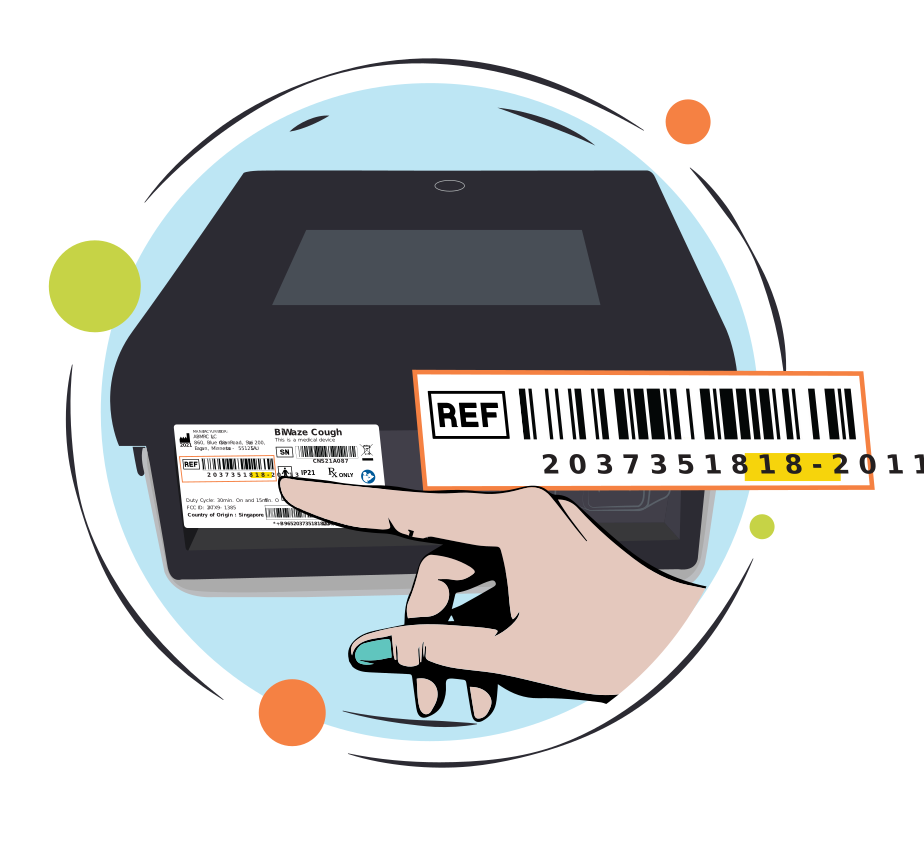
The reference number appears on the label located on the back of the control unit.
The product name is often known from marketing and education materials, but also appears on the label located on the back of the control unit.
To download the manual, select the Download button and choose where you want to save the PDF document.
To print the manual, select the Print button and follow the prompts on your computer.
- Go to ABM Respiratory Care website and complete the details in the support request.
- Select “Request Manual” from the topic dropdown.
- Enter the instruction for use name, revision number, and your shipping information into the “Details” section.
- Select “Submit Support Request” send the information to customer service. There is no charge for requesting paper manuals.
Customers will receive the printed manuals within seven business days. The shipping schedule can be impacted by holidays.
Contact your ABM Respiratory Care representative. Also, remember that manuals are available for electronic viewing, printing, and downloading on this website 24 hours a day.
The ABMRC eifu website can be accessed and used on all popular modern browsers, ensuring a seamless experience for all users. Whether you prefer Chrome, Firefox, Safari, Edge, or any other mainstream browser, you can navigate our site with ease.